
3D PRODUCT CONFIGURATION PLATFORM
Build, manage and publish interactive 3D product configurators with MODE.
Upload your product. Define what can change. Control how it looks. Publish an interactive configurator to your website.
MANUFACTURER CONTROLLED · MODE PLATFORM
LIVE MODE PRODUCT · INTERACTIVE DEMO
Use the real MODE controls to explore materials and presentation. The supplied reference currently displays Chair 001.
A manufacturer-controlled platform for building, managing and publishing interactive 3D product configurators.
UPLOAD → CONFIGURE → PRESENT → PUBLISH
Upload a MODE-ready GLB product.
MODE detects configurable Parts. Define materials, finishes, physical shaders and product rules.
Control camera, lighting, environments, framing and how the product should appear.
Launch the finished customer-facing configurator and embed it into your website or eCommerce experience.
THE PRODUCT DEFINES THE CONFIGURATOR
MODE isn't tied to chairs, beds or a fixed product template. The uploaded product determines the configurator.
3D PRODUCT
↓
Automatically detected Parts
EXAMPLE PART MAPPING
PART_01 → FRAME
PART_02 → SEAT
PART_03 → BACKREST
PART_04 → CUSHION
Five configurable Parts? Five controls. Twelve Parts? Twelve controls. The configurator adapts to the product.
LIVE PART IDENTIFICATION
Choose a Part in the manufacturer Editor. Its corresponding geometry highlights on the 3D product.
ASSET PLACEHOLDER · ACTUAL MODE CAPTURE REQUIRED
Actual Editor and highlighted product capture required.
Immediately identify the part you're configuring, even on complex products.
SURFACE. TEXTURE. LIGHT.
MODE doesn't simply change colours. Different materials respond differently to light — from the reflection of metal to the soft sheen of fabric.
ASSET PLACEHOLDER · ACTUAL MODE CAPTURE REQUIRED
Physical metal close-up pending.

ACTUAL MODE TEXTURE

ACTUAL MODE TEXTURE
ASSET PLACEHOLDER · ACTUAL MODE CAPTURE REQUIRED
Physical velvet close-up pending.
ASSET PLACEHOLDER · ACTUAL MODE CAPTURE REQUIRED
Physical leather close-up pending.
Fine-tune roughness, metalness, sheen, clearcoat, IOR and reflection response. The result is a finish defined by how it catches the light, as well as its colour.
REUSABLE ASSET LIBRARY
Default materials supplied by MODE.
WOODS · FABRICS · METALS
Create folders. Upload textures. Name materials and define real-world texture dimensions. Organise collections and reuse materials across products.
ASSET PLACEHOLDER · ACTUAL MODE CAPTURE REQUIRED
Actual two-library interface capture required. The content above describes library capabilities; it is not a replica of the product UI.
REAL-TIME PRODUCT EDITOR
Review changes against the live 3D product immediately. Materials and presentation become one continuous setup experience.
ASSET PLACEHOLDER · ACTUAL MODE CAPTURE REQUIRED
Actual Editor capture required. Show the real panel and product together, with no invented interface.
MATERIALS · SHADERS · BACKGROUND · LIGHTING · EXPOSURE · CAMERA · PRODUCT SCALE · PART HIGHLIGHTING · PRESENTATION SETTINGS
PRESENTATION STUDIO
MODE gives manufacturers control over the visual presentation of every product.
ASSET PLACEHOLDER · ACTUAL MODE CAPTURE REQUIRED
Capture the actual Editor beside the live product, with lighting and camera controls visible.
Background colour · Background ON/OFF
Exposure · Auto exposure
Key light · Ambient lighting
Light rotation · Light angle
Shadow strength · Product scale
Camera position · Product framing
SCENE PRESETS
A MODE background isn't simply an image. Each Scene Preset can store the complete setup.
BACKGROUND + CAMERA + PRODUCT POSITION + SCALE + LIGHTING
ASSET PLACEHOLDER · ACTUAL MODE CAPTURE REQUIRED
Scene thumbnail placeholder. Actual preset capture required, showing the saved camera, product position, scale, framing and lighting.
ASSET PLACEHOLDER · ACTUAL MODE CAPTURE REQUIRED
Scene thumbnail placeholder. Actual preset capture required, showing the saved camera, product position, scale, framing and lighting.
ASSET PLACEHOLDER · ACTUAL MODE CAPTURE REQUIRED
Scene thumbnail placeholder. Actual preset capture required, showing the saved camera, product position, scale, framing and lighting.
Scene-selector storyboard pending actual preset assets. The linked reference currently reports no backgrounds.
MODE EDITOR → CUSTOMER CONFIGURATOR
The published customer interface is generated from the manufacturer's product setup. Customers see only the choices permitted for that product.
Frame Finish
Seat Fabric
Backrest
Assign the materials and finishes each Part permits.
Frame Finish → permitted finishes
Seat Fabric → permitted fabrics
Backrest → permitted options
ASSET PLACEHOLDER · ACTUAL MODE CAPTURE REQUIRED
Side-by-side actual interface captures required. The mapping above is an explanatory diagram.
PER-PRODUCT EXPERIENCE
Enable or disable customer features per product. Build the experience around the choices and tools that product needs.
AVAILABLE IN MODE
Explore the configured product from every side.
AVAILABLE IN MODE
Automated camera movements for a cinematic product presentation.
AVAILABLE IN MODE
Create an image of the configured product in a chosen aspect ratio.
AVAILABLE IN MODE
Preview the image crop before creating content.
REFERENCE CONTROL · ASSETS PENDING
Context controls appear in the reference; no backgrounds are currently loaded.
VALIDATION PENDING
An AR control is visible in the reference. Device support and production readiness still need verification.
MOVIE MODE
Movie Mode creates an automated cinematic product presentation using deliberate camera movements. Customers can interrupt it and explore the product themselves.
ASSET PLACEHOLDER · ACTUAL MODE CAPTURE REQUIRED
Storyboard placeholder · actual Movie Mode frame required.
ASSET PLACEHOLDER · ACTUAL MODE CAPTURE REQUIRED
Storyboard placeholder · actual Movie Mode frame required.
ASSET PLACEHOLDER · ACTUAL MODE CAPTURE REQUIRED
Storyboard placeholder · actual Movie Mode frame required.
ASSET PLACEHOLDER · ACTUAL MODE CAPTURE REQUIRED
Storyboard placeholder · actual Movie Mode frame required.
IMAGE CREATOR
Customers can create images of their configured product. Frame the view for the content they want to share.
IMAGE ASPECT RATIO
IMAGE ASPECT RATIO
IMAGE ASPECT RATIO
IMAGE ASPECT RATIO
SAFE FRAME · Preview the crop before saving.
ASSET PLACEHOLDER · ACTUAL MODE CAPTURE REQUIRED
Actual Image Creator output required. Ratios above match the controls in the working viewer.
PRODUCT MANAGEMENT
One platform. Every configurable product.
ASSET PLACEHOLDER · ACTUAL MODE CAPTURE REQUIRED
Actual dashboard capture required: product thumbnails, Add Product, Upload GLB, Edit Product, search, filters and status controls.
Example folders: Chairs · Tables · Lighting · Outdoor
Example tags: 2027 Collection · Contract · Hospitality · New · Best Seller
Add Product · Upload GLB · Edit Product
Folders · Tags · Search · Filter · Rename
Make Live / Inactive · Copy configurator URL
Product thumbnail · Delete
Real products. Real projects.
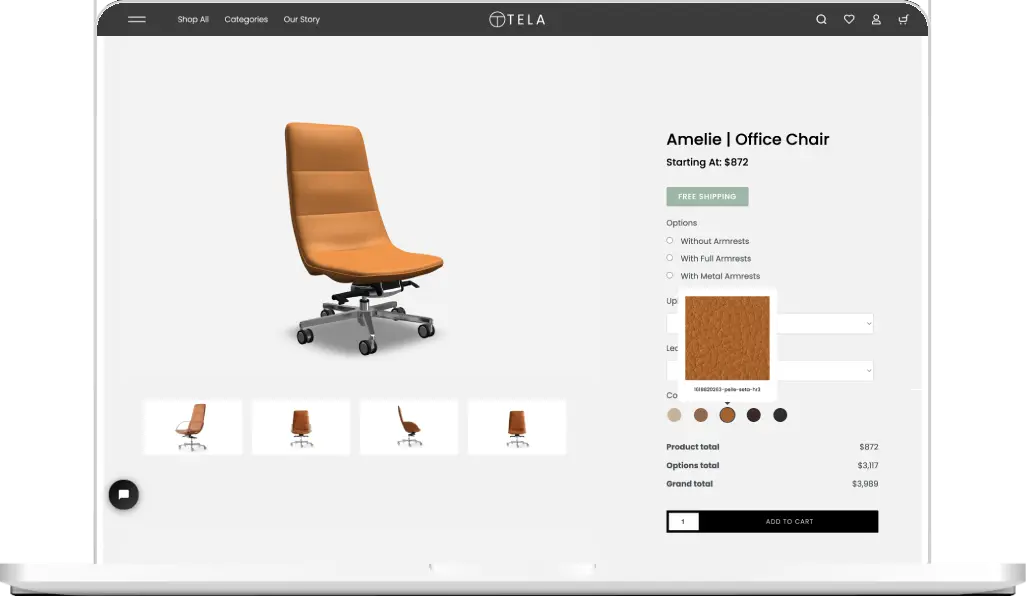
A configurable furniture experience.
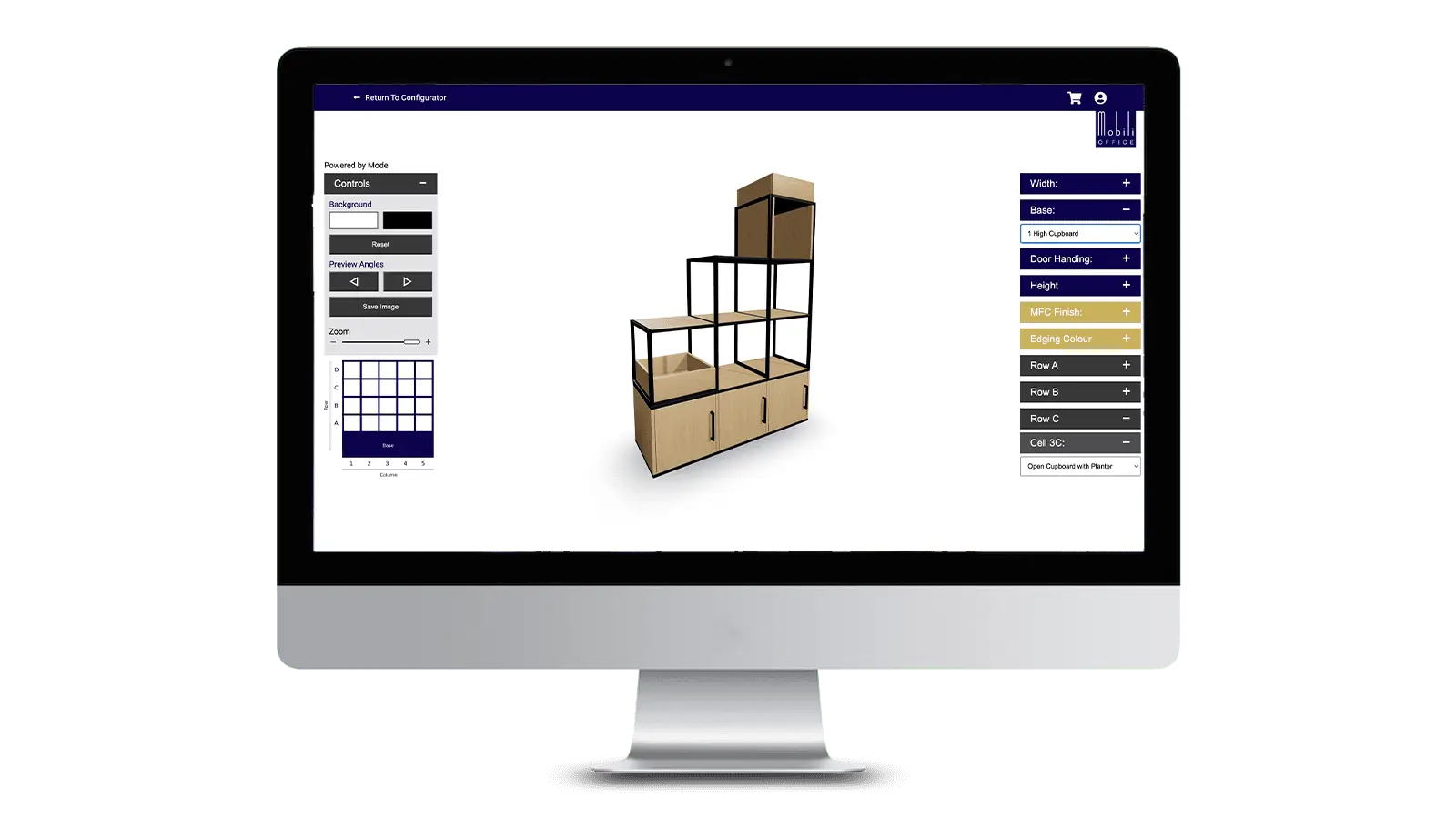
Explore shelving configurations.
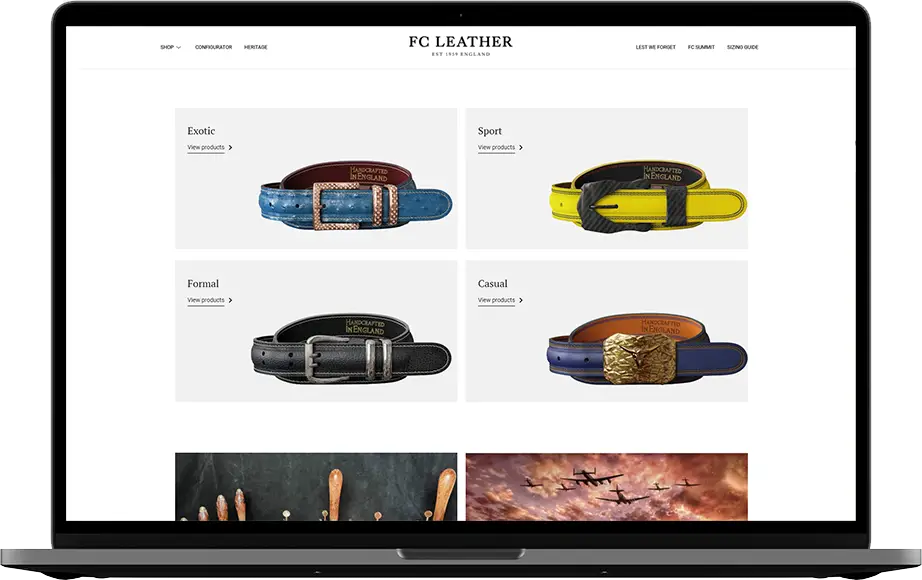
Product choices brought into focus.
Built for different markets
01
02
03
04
05
06
ACROSS PRODUCT CATEGORIES
ECOMMERCE
MODE CONFIGURATOR → PRODUCT PAGE → CUSTOMER CONFIGURATION → VARIANT / SKU / ORDER DATA → ECOMMERCE
Plan how customer choices reach your commerce system. Discuss Shopify, WooCommerce or a custom API / integration with MODE. Compatibility and the scope of each connection must be confirmed for your project; no unverified native connector is claimed here.
Built to scale
1 PRODUCT → 5 → 20 → 50 → 100+
MODE is designed to manage a manufacturer's complete configurator estate from one platform. Start with one product and expand through a subscription that fits your catalogue.
SUBSCRIPTIONS THAT GROW WITH YOUR CATALOGUE
COMING SOON
Exploring what's next in product configuration.
COMING SOON
Generate photoreal environments around a configured product.
COMING SOON
Upload a photograph and visualise the configured product in the customer's space.
COMING SOON
Configure it, then see it in your space.
Let's explore the possibilities
See how MODE could turn your product catalogue into interactive, manageable 3D configurators.
A manufacturer-controlled platform for interactive 3D product configuration.
RESOURCES
Platform guide (draft) · Feature guide (draft)